


Ad networks like Google, Meta and LinkedIn rely on accurate conversion signals from your CRM to optimize campaign targeting. HubSpot has overhauled the Conversion Events tab in Ads to give you clear health indicators, plain-language error reporting and short-term metrics so your data syncs never silently fail.
What This Update Does
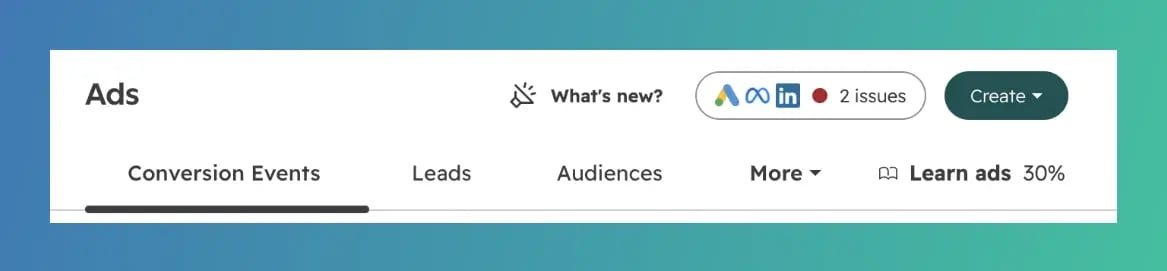
Formerly known simply as the "Events" tab, the newly renamed Conversion Events tab introduces dedicated health tracking for your ad tracking setups. It features a new "Needs Attention" alert section at the top of the screen, color-coded status indicators on event rows, 7-day conversion activity metrics and plain-language troubleshooting guidance to replace cryptic API error codes.
Why It Matters
When conversion events break unnoticed, ad networks lose their ability to target high-intent prospects, degrading campaign ROI over time.
- Proactive Monitoring: Instantly spots broken syncs, expired API authorizations or tag errors before they ruin your ad targeting algorithms.
- Simplified Troubleshooting: Plain-English error summaries explain *why* an event failed and give step-by-step guidance on how to fix it without calling a developer.
- Immediate Visibility: The 7-day metric view lets you verify whether a conversion pixel or sync has recently stopped firing at a glance.
How to Customize It
-
Navigate to Marketing > Ads in your HubSpot portal and click the Conversion Events tab.
-
Check the new Needs Attention section at the top of the page.
-
Red flags indicate urgent authentication issues (like an expired ad network connection).
-
Yellow flags highlight non-critical warnings that require review.
-
-
Review individual event rows to monitor conversion volume from the last 7 days.
-
Click into any flagged event to view plain-language error messages and follow the recommended troubleshooting steps.
-
If you haven't set up ad conversion syncs yet, use the new empty-state screen to access embedded video tutorials and learn how to configure your first event.
Who Gets Access
This ads update is available for Marketing Hub Starter, Professional and Enterprise.
Final Takeaway
Don't let silent tracking errors undermine your paid ad campaigns. Take two minutes to check your revamped Conversion Events tab today to verify that your conversion feeds are active, authenticated and passing clean data back to your ad networks.