




Leads are now searchable directly from HubSpot’s global search bar. This isn’t a major update, but it does make finding things just a bit easier. Here’s how it works and why it matters.
What Is It?
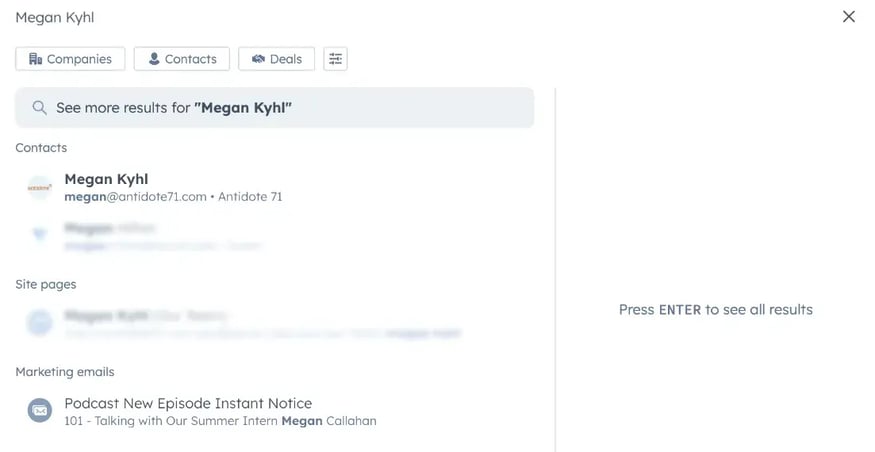
You can now search for Lead records directly from HubSpot’s global search, the same search bar you already use to find contacts, companies, deals, tickets and more.
Why This Matters
In HubSpot, leads are contacts or companies that have shown interest in your products or services and may be potential customers.
Previously, depending on your workflow, you might have had to navigate specifically to the Leads tool to locate a record. Now, they’re fully integrated into the same universal search experience as the rest of your CRM.
That means:
-
Faster access to prospect information
-
Fewer clicks when jumping between tools
-
Better visibility across sales and marketing workflows
This is a small update, but one that can save you some clicks and a bit of time.
How It Works (Step by Step)
Step 1: Use the Global Search Bar
At the top of HubSpot’s navigation, click into the global search bar.
Step 2: Start Typing a Lead Name or Detail
Begin typing:
-
The lead’s name
-
An associated contact or company
-
Or another related identifying detail
Step 3: Review Search Results
HubSpot will surface matching Lead records in your results, along with other relevant objects such as contacts, companies and deals.
Step 4: Click to Open the Lead Record
Select the correct Lead result to open the full record and continue your workflow.
Who Gets It?
This update is available across all hubs and tiers, meaning it applies broadly to HubSpot users.
Final Thoughts
It’s a small update that improves clarity, speed and system flow, which is often where the real productivity gains happen.